# Welcome to Illiquid Market

Illiquid Market is a peer-to-peer over-the-counter (OTC) cryptocurrency trading protocol that operates on Ethereum and other networks.

{% hint style="success" %}
Illiquid is currently available on Ethereum, Polygon, BNB Smart Chain, Avax, Arbitrum One and Optimism
{% endhint %}

<figure><img src="https://145339869-files.gitbook.io/~/files/v0/b/gitbook-x-prod.appspot.com/o/spaces%2FS1F3korSPgRlrwAMsGRR%2Fuploads%2FV6kvjIFT8XnO8jAEG3zJ%2Fhero.jpg?alt=media&amp;token=d14c3bd9-556a-46ee-8df1-f0b2fe3b77a8" alt="A hero screenshot of the illiquid market user interface, a search field and a table showing token orders"><figcaption></figcaption></figure>

Illiquid allows users to create requests to buy or sell any token in existence, and to browse a registry of public orders to find matching trades. There are no liquidity providers or central counterparties involved.

Illiquid Market is based on open source Wyvern smart contracts, which have a track record of powering successful projects such as OpenSea, with over $2 billion in transaction volume processed.

This documentation provides technical information about Illiquid Market, including its features and functionality, as well as guidance on how to use and integrate it. It is intended for developers and users alike.

Thank you for considering Illiquid Market.


# Why use Illiquid?

Illiquid Market offers a unique solution for buying and selling obscure or non-liquid assets in a decentralized and trustless manner.

Illiquid is similar to the popular NFT marketplace OpenSea, but for ERC20 tokens. With Illiquid Market, you can list any asset and find a counterparty, and get paid in any asset of your choice.

Many protocols generate novel ERC-20 tokens, such as LP tokens, vesting tokens, and liquid staking tokens, and creating pool-based DEX liquidity for all of these can be impractical and capital inefficient. Markets where DEX liquidity does not exist are currently served by off-chain OTC books, which are subject to counterparty risk and high fees. Illiquid Market offers a more efficient and secure alternative for trading these assets.

### Benefits of Illiquid Market include:

* Ability to trade any token, no matter how obscure
* Trustless and decentralized trading experience
* No need for liquidity providers or central counterparties
* No counterparty risk or high fees

### Use cases for Illiquid Market include:

* Trading assets with low liquidity or low DEX adoption
* Trading assets that are not listed on DEXs or OTC books
* Trading assets in a secure and efficient manner without relying on central parties
* Integrating Illiquid Market into your own projects or protocols to provide a decentralized trading solution


# Universal token listing

Illiquid Market supports the listing of any ERC20 token that exists on a supported network. This means that as long as a token follows the ERC20 standard, it can be traded on Illiquid Market.

<figure><img src="https://145339869-files.gitbook.io/~/files/v0/b/gitbook-x-prod.appspot.com/o/spaces%2FS1F3korSPgRlrwAMsGRR%2Fuploads%2FAr5ESoGQ4G9qbydQjjCI%2FScreenshot%202023-01-07%20at%207.45.38%20PM.png?alt=media&amp;token=f42f5e5e-987c-4d5f-972b-ca1d042cf5f5" alt=""><figcaption><p>Users can paste any token address and create offers, even if that token has never been traded before</p></figcaption></figure>

Listing a token is as easy as creating a new buy or sell offer for that token. This will create an offers page where other users can continue to post new offers, with any other token as the other token in the trading pair.

<figure><img src="https://145339869-files.gitbook.io/~/files/v0/b/gitbook-x-prod.appspot.com/o/spaces%2FS1F3korSPgRlrwAMsGRR%2Fuploads%2FW3BR90BCfAKK5WIo7r29%2FView%20SELL%20Orders.png?alt=media&amp;token=465b239d-0ac5-49ab-b57b-0c2a07400754" alt=""><figcaption><p>An Offers page generated by the creation of UXD token offers</p></figcaption></figure>

This allows for a wide range of assets to be traded on the platform, including obscure or hard-to-find tokens.&#x20;

Overall, the universal token listing feature of Illiquid Market makes it a flexible and inclusive platform for trading a wide range of assets in a decentralized and trustless manner.

{% hint style="warning" %}
Caution should be exercised when listing rebase tokens or other elastic supply tokens. These types of tokens can experience drastic changes in supply, which can impact the value of outstanding offers. To mitigate this risk, it is recommended to set fast offer expiry times (e.g. hours) for these types of tokens.
{% endhint %}


# Peer to peer OTC

{% hint style="info" %}
Transactions on Illiquid Market are subject to a 0.25% fee.

However, this fee does not apply to trades made with Liquid Vesting Tokens, which are generated through the Unvest protocol. It's important to note that any related Unvest protocol transfer fees will still be charged where applicable.
{% endhint %}

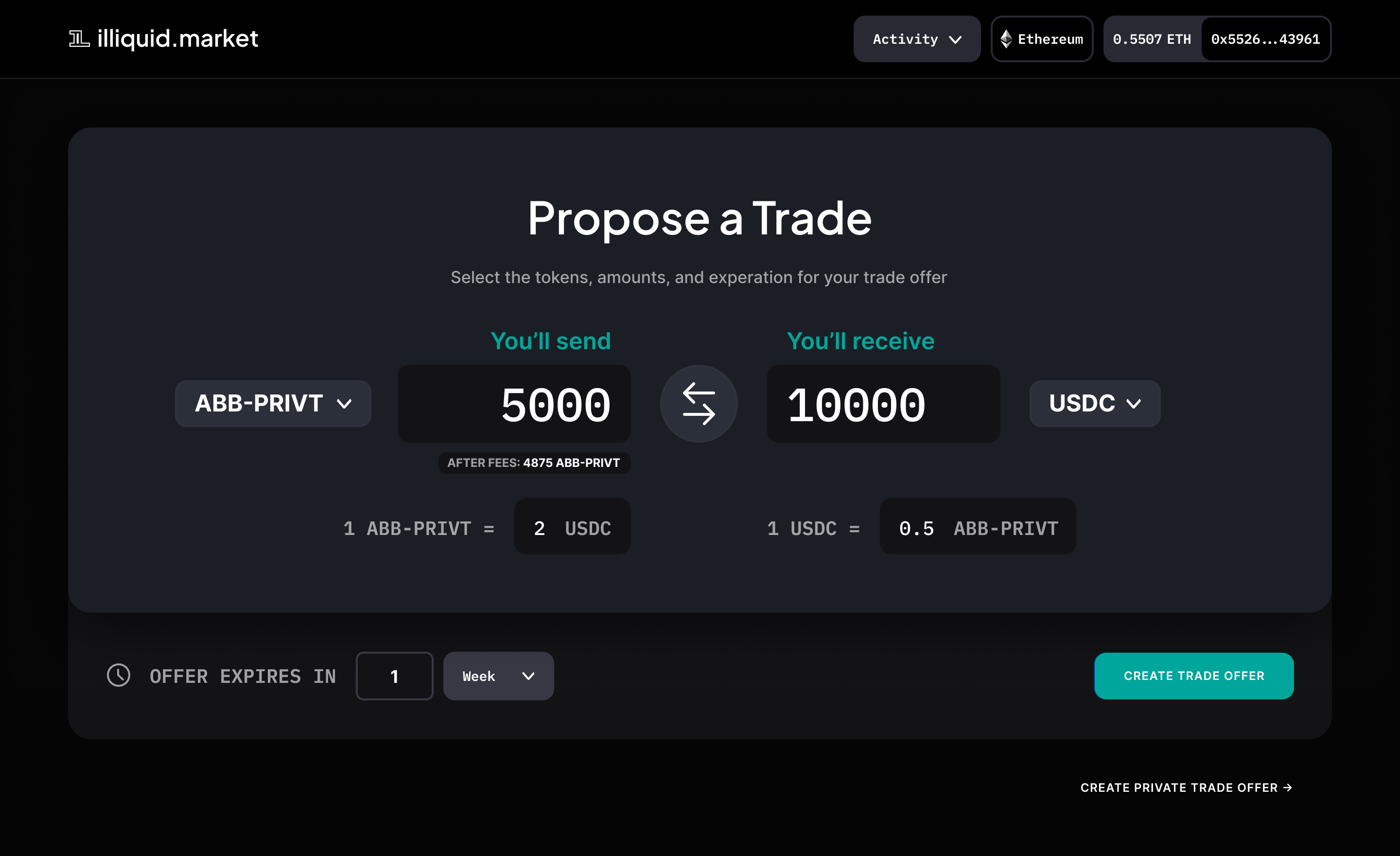
Illiquid Market is a peer-to-peer over-the-counter (OTC) cryptocurrency trading platform. This means that trades are conducted directly between users, without the need for liquidity providers or central counterparties.

<figure><img src="https://145339869-files.gitbook.io/~/files/v0/b/gitbook-x-prod.appspot.com/o/spaces%2FS1F3korSPgRlrwAMsGRR%2Fuploads%2FSgcYLDKehenSYxfonoSl%2FPrivate%20offer%201.png?alt=media&amp;token=91f1c0e8-1480-4d38-802c-42a679ae7df2" alt=""><figcaption><p>The Propose a Trade view, where users can create an open OTC offer for any token</p></figcaption></figure>

One of the key features of Illiquid Market is the use of atomic swaps for trading. Atomic swaps allow the tokens being traded to remain in the users' wallets under their control, and only leave the wallet if a successful trade occurs. This ensures that users maintain full control and ownership of their assets.

To use Illiquid Market, users first pay a small gas fee to establish a trading proxy on the network. This allows all subsequent trades on that network to be low-gas. Users then submit "allow" transactions for each token they'd like to sell (or use to buy other tokens). Once the proxy and allow transactions are completed, users can create unlimited orders gaslessly using signatures.

### Tutorial:

{% content-ref url="/pages/5xGcEdPOv8vEcJMksIXl" %}
[Create your first public order](/tutorials/create-your-first-public-order)
{% endcontent-ref %}

Overall, the peer-to-peer OTC trading feature of Illiquid Market offers a secure and efficient way to trade cryptocurrencies without the need for centralized parties.


# Public orders

Illiquid Market allows users to create requests to buy or sell tokens, which are called "public orders."

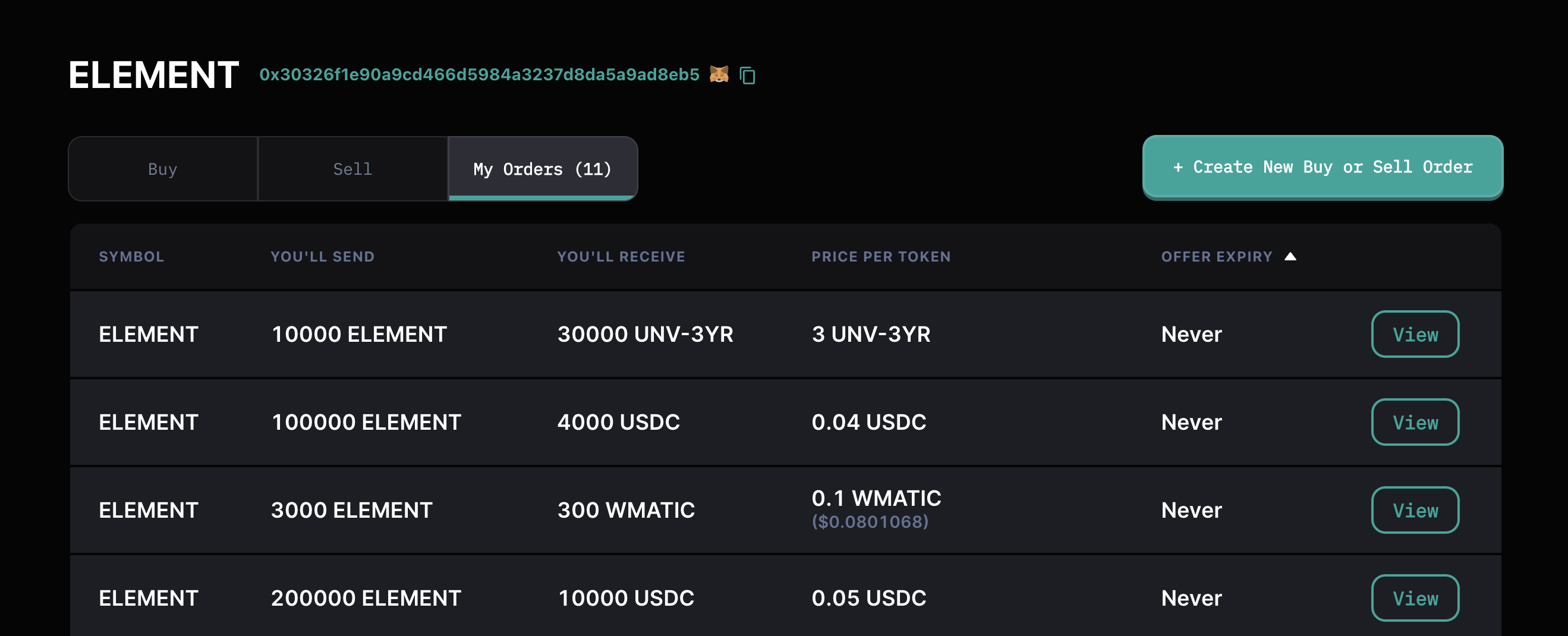
Public orders can be browsed by any user in the order directory.

<figure><img src="https://145339869-files.gitbook.io/~/files/v0/b/gitbook-x-prod.appspot.com/o/spaces%2FS1F3korSPgRlrwAMsGRR%2Fuploads%2FTM2e6sbb3ySUlGQWGG6M%2Fimage.png?alt=media&amp;token=a7f1d8e3-4733-4430-8a54-66fc3e57dfda" alt=""><figcaption><p>Token listings appear ranked in the Order Directory</p></figcaption></figure>

Anyone can choose to take a public order, either by completing the trade as a buyer or seller, or by selecting "Accept Offer" when viewing the original request. Provided they have the correct tokens in their wallet, and allowances granted, they can initiate a transaction that atomic swaps their tokens for your tokens.

This means the order taker pays the gas for the trade. Security assurances in place mean that the trade can only take place once, and that both the maker and taker must have the correct balance of the correct token in their wallets for the trade to process.

This allows for a decentralized and open market for trading tokens.

Overall, the public orders feature of Illiquid Market offers a convenient and transparent way for users to buy and sell tokens on the platform.


# Private orders

In addition to public orders, Illiquid Market also allows users to create private orders.

Private orders are similar to public orders, but they can only be filled by a specific counterparty.

<figure><img src="https://145339869-files.gitbook.io/~/files/v0/b/gitbook-x-prod.appspot.com/o/spaces%2FS1F3korSPgRlrwAMsGRR%2Fuploads%2FpywpWNz5rIWV1DsQVhtG%2FScreenshot%202023-01-07%20at%207.59.12%20PM.png?alt=media&amp;token=a0b5df82-a149-4600-bcf5-171593eb67b0" alt=""><figcaption></figcaption></figure>

To create a private order, the maker supplies the address of a specific counterparty wallet. Only that wallet can accept the offer. The order does not appear in the order directory, but a unique link is generated that the maker can share with their desired counterparty.

Private orders can be useful for users who want to trade with a specific person or group, or who want to maintain a higher level of trading privacy.

Overall, the private orders feature of Illiquid Market offers users an additional level of control and flexibility in terms of trading on the platform.

### Tutorial:

{% content-ref url="/pages/4V3Sj8eQRo6r7roB08pV" %}
[Create a private order](/tutorials/create-a-private-order)
{% endcontent-ref %}


# Partial order fill

Illiquid Market allows users to create orders that can be partially filled.

{% hint style="info" %}
Partial order fill is currently in **private beta** and will be available to all users soon
{% endhint %}

This means that the taker of the order can supply a portion of the requested token and receive a corresponding portion of the offered token.

For example, if a user creates an order to sell 100 units of Token A in exchange for 100 units of Token B, and another user only wants to buy 20 units of Token A, they can partially fill the order by supplying 20 units of Token B and receiving 20 units of Token A.

The partial order fill feature allows for more flexibility and versatility in terms of trading on Illiquid Market. It can be useful for users who want to trade smaller amounts of tokens, or who want to test the market before committing to a larger trade. It also opens up other use cases beyond just OTC trading.

## More use cases:

### Create a pool that rewards locking tokens for extended periods

Create a large sell order where you offer time locked vestingTokens in exchange for unlocked project tokens at a favourable rate. Community members can then swap their unlocked tokens for a larger quantity of locked vestingTokens, reducing circulating supply.

### Create a mechanism for redeeming burner tokens for real project tokens

If you issued burner tokens to early investors prior to your token generation event, you'll need to offer a means of exchange for real tokens at some point. Create a large sell offer where you supply project tokens in exchange for burner tokens at a 1:1 ratio. When the order is filled, send the burner tokens to the network burn address.


# Project Wyvern

Illiquid Market is built on Project Wyvern, an open source codebase that has powered successful projects such as OpenSea.

Wyvern smart contracts are designed for building decentralized marketplaces and offer efficient and secure execution of trades.

By using Wyvern smart contracts, Illiquid Market is able to provide a decentralized and trustless trading experience for users. Developers can also build on top of the Wyvern codebase to create custom features or integrations.

For more information, see the official Wyvern documentation: \
[wyvernprotocol.com/docs/protocol-components](https://wyvernprotocol.com/docs/protocol-components)

### Illiquid Wyvern contract addresses

<table><thead><tr><th width="154.66666666666666">Network</th><th width="189">Contract</th><th>Address</th></tr></thead><tbody><tr><td>mainnet</td><td>WyvernAtomicizer</td><td><code>0x8E3af7C14c5EF71935A9c5FCfa13d431E21EB750</code></td></tr><tr><td></td><td>WyvernStatic</td><td><code>0xCd962778bC57CeFc05A6AfB3190D03d3D2558f94</code></td></tr><tr><td></td><td>WyvernRegistry</td><td><code>0xAfD759C7356053D6CCBE6d416D4F3b66C6eA6bE3</code></td></tr><tr><td></td><td>WyvernExchange</td><td><code>0x9D190e411F7212462b52e176cE404A64df88e749</code></td></tr><tr><td>ropsten</td><td>WyvernAtomicizer</td><td><code>0x8E3af7C14c5EF71935A9c5FCfa13d431E21EB750</code></td></tr><tr><td></td><td>WyvernStatic</td><td><code>0xCd962778bC57CeFc05A6AfB3190D03d3D2558f94</code></td></tr><tr><td></td><td>WyvernRegistry</td><td><code>0xAfD759C7356053D6CCBE6d416D4F3b66C6eA6bE3</code></td></tr><tr><td></td><td>WyvernExchange</td><td><code>0x9D190e411F7212462b52e176cE404A64df88e749</code></td></tr><tr><td>polygon</td><td>WyvernAtomicizer</td><td><code>0x8E3af7C14c5EF71935A9c5FCfa13d431E21EB750</code></td></tr><tr><td></td><td>WyvernStatic</td><td><code>0xCd962778bC57CeFc05A6AfB3190D03d3D2558f94</code></td></tr><tr><td></td><td>WyvernRegistry</td><td><code>0xAfD759C7356053D6CCBE6d416D4F3b66C6eA6bE3</code></td></tr><tr><td></td><td>WyvernExchange</td><td><code>0x9D190e411F7212462b52e176cE404A64df88e749</code></td></tr><tr><td>mumbai</td><td>WyvernAtomicizer</td><td><code>0x8E3af7C14c5EF71935A9c5FCfa13d431E21EB750</code></td></tr><tr><td></td><td>WyvernStatic</td><td><code>0xCd962778bC57CeFc05A6AfB3190D03d3D2558f94</code></td></tr><tr><td></td><td>WyvernRegistry</td><td><code>0xAfD759C7356053D6CCBE6d416D4F3b66C6eA6bE3</code></td></tr><tr><td></td><td>WyvernExchange</td><td><code>0x9D190e411F7212462b52e176cE404A64df88e749</code></td></tr><tr><td>BSC</td><td>WyvernAtomicizer</td><td><code>0x8E3af7C14c5EF71935A9c5FCfa13d431E21EB750</code></td></tr><tr><td></td><td>WyvernStatic</td><td><code>0xCd962778bC57CeFc05A6AfB3190D03d3D2558f94</code></td></tr><tr><td></td><td>WyvernRegistry</td><td><code>0xAfD759C7356053D6CCBE6d416D4F3b66C6eA6bE3</code></td></tr><tr><td></td><td>WyvernExchange</td><td><code>0x9D190e411F7212462b52e176cE404A64df88e749</code></td></tr><tr><td>avalanche</td><td>WyvernAtomicizer</td><td><code>0x8E3af7C14c5EF71935A9c5FCfa13d431E21EB750</code></td></tr><tr><td></td><td>WyvernStatic</td><td><code>0xCd962778bC57CeFc05A6AfB3190D03d3D2558f94</code></td></tr><tr><td></td><td>WyvernRegistry</td><td><code>0xAfD759C7356053D6CCBE6d416D4F3b66C6eA6bE3</code></td></tr><tr><td></td><td>WyvernExchange</td><td><code>0x9D190e411F7212462b52e176cE404A64df88e749</code></td></tr><tr><td>goerli</td><td>WyvernAtomicizer</td><td><code>0x8E3af7C14c5EF71935A9c5FCfa13d431E21EB750</code></td></tr><tr><td></td><td>WyvernStatic</td><td><code>0xCd962778bC57CeFc05A6AfB3190D03d3D2558f94</code></td></tr><tr><td></td><td>WyvernRegistry</td><td><code>0xAfD759C7356053D6CCBE6d416D4F3b66C6eA6bE3</code></td></tr><tr><td></td><td>WyvernExchange</td><td><code>0x9D190e411F7212462b52e176cE404A64df88e749</code></td></tr><tr><td>optimism</td><td>WyvernAtomicizer</td><td><code>0x8E3af7C14c5EF71935A9c5FCfa13d431E21EB750</code></td></tr><tr><td></td><td>WyvernStatic</td><td><code>0xCd962778bC57CeFc05A6AfB3190D03d3D2558f94</code></td></tr><tr><td></td><td>WyvernRegistry</td><td><code>0xAfD759C7356053D6CCBE6d416D4F3b66C6eA6bE3</code></td></tr><tr><td></td><td>WyvernExchange</td><td><code>0x9D190e411F7212462b52e176cE404A64df88e749</code></td></tr><tr><td>arbitrum</td><td>WyvernAtomicizer</td><td><code>0x8E3af7C14c5EF71935A9c5FCfa13d431E21EB750</code></td></tr><tr><td></td><td>WyvernStatic</td><td><code>0xCd962778bC57CeFc05A6AfB3190D03d3D2558f94</code></td></tr><tr><td></td><td>WyvernRegistry</td><td><code>0xAfD759C7356053D6CCBE6d416D4F3b66C6eA6bE3</code></td></tr><tr><td></td><td>WyvernExchange</td><td><code>0x9D190e411F7212462b52e176cE404A64df88e749</code></td></tr></tbody></table>


# vestingToken

Illiquid is integrated with Unvest Protocol and the vestingToken smart contracts.

Illiquid Market is integrated with Unvest's vestingToken smart contracts, which allows Illiquid to detect wrapped derivative tokens and their relationship to their underlying token.

This integration is used to display links to related vestingTokens (on the page of their parent token) and to power search suggestions in the token selector. This helps users to easily find and trade vestingTokens and their underlying assets on Illiquid Market.&#x20;

For more information, see the official vestingToken documentation: \
[docs.unvest.io](https://docs.unvest.io/)


# Create your first public order

To create a trade offer on Illiquid Market, follow these instructions:

1. Go to [illiquid.market](https://illiquid.market/).
2. Connect your wallet and provide a signature.\
   ![](https://145339869-files.gitbook.io/~/files/v0/b/gitbook-x-prod.appspot.com/o/spaces%2FS1F3korSPgRlrwAMsGRR%2Fuploads%2FkPUxSX8FMkWEVDGcePkd%2Fimage.png?alt=media\&token=5cb2dd00-9ce8-445e-8a4c-eb47c74d183e)
3. Tap the "Create New Buy or Sell Order" button.<br>

   <figure><img src="https://145339869-files.gitbook.io/~/files/v0/b/gitbook-x-prod.appspot.com/o/spaces%2FS1F3korSPgRlrwAMsGRR%2Fuploads%2Fke1Cfr6kJFnviY7ykovY%2Fimage.png?alt=media&amp;token=b003b5d2-9418-4a3d-a183-3bb26101480e" alt=""><figcaption></figcaption></figure>
4. Select the token on the left (e.g. USDC), which is the token you will be sending.<br>

   <figure><img src="https://145339869-files.gitbook.io/~/files/v0/b/gitbook-x-prod.appspot.com/o/spaces%2FS1F3korSPgRlrwAMsGRR%2Fuploads%2FasxRCCtxJn9ilrsfYDNp%2FScreenshot%202023-01-07%20at%208.07.17%20PM.png?alt=media&amp;token=426feac5-acdd-483e-b46d-268344ec1254" alt=""><figcaption></figcaption></figure>
5. Enter the amount.
6. Select the token on the right (e.g. UNV), which is the token you will be receiving.
7. Enter the amount.
8. Optionally, set an expiry for your order.<br>

   <figure><img src="https://145339869-files.gitbook.io/~/files/v0/b/gitbook-x-prod.appspot.com/o/spaces%2FS1F3korSPgRlrwAMsGRR%2Fuploads%2F58a8jAdHfE3cv1iZowgC%2FScreenshot%202023-01-07%20at%208.08.40%20PM.png?alt=media&amp;token=b140b8d0-0f49-4633-8c7f-dfd1414dcab9" alt=""><figcaption></figcaption></figure>
9. Tap "Create Trade Offer."\ <br>

   <figure><img src="https://145339869-files.gitbook.io/~/files/v0/b/gitbook-x-prod.appspot.com/o/spaces%2FS1F3korSPgRlrwAMsGRR%2Fuploads%2FS1wu3GoZq0DIcG2aDuov%2FScreenshot%202023-01-07%20at%208.09.49%20PM.png?alt=media&amp;token=c4faeb9d-4d9b-48da-8d71-02fe98a96bf5" alt=""><figcaption></figcaption></figure>
10. Follow the instructions: first, submit a transaction to create a proxy (you only have to do this once per wallet, per network).
11. Allow token spend (you only have to do this once per token). You can then create numerous orders from the same allowance, which can be revoked at any time.\ <br>

    <figure><img src="https://145339869-files.gitbook.io/~/files/v0/b/gitbook-x-prod.appspot.com/o/spaces%2FS1F3korSPgRlrwAMsGRR%2Fuploads%2FFfWm39pd3cMnXtB49j7S%2Fimage.png?alt=media&amp;token=2ae425d9-cbb8-4be6-babd-d1254328fc20" alt=""><figcaption></figcaption></figure>
12. Sign the order, and you're done. The order will confirm and appear in the Order Directory for other traders to discover.<br>


# Create a private order

Private orders can only be filled by a single specified wallet. To create a private trade offer on Illiquid Market, follow these instructions:

1. Go to [illiquid.market](https://illiquid.market/).
2. Connect your wallet and provide a signature.\
   ![](https://145339869-files.gitbook.io/~/files/v0/b/gitbook-x-prod.appspot.com/o/spaces%2FS1F3korSPgRlrwAMsGRR%2Fuploads%2FkPUxSX8FMkWEVDGcePkd%2Fimage.png?alt=media\&token=5cb2dd00-9ce8-445e-8a4c-eb47c74d183e)
3. Tap the "Create New Buy or Sell Order" button.<br>

   <figure><img src="https://145339869-files.gitbook.io/~/files/v0/b/gitbook-x-prod.appspot.com/o/spaces%2FS1F3korSPgRlrwAMsGRR%2Fuploads%2FiW4fkvOP8L8d4HGGhvVc%2Fimage.png?alt=media&amp;token=c4381474-9054-42d9-8a6a-c66687edf44f" alt=""><figcaption></figcaption></figure>
4. Select the token on the left (e.g. USDC), which is the token you will be sending.<br>

   <figure><img src="https://145339869-files.gitbook.io/~/files/v0/b/gitbook-x-prod.appspot.com/o/spaces%2FS1F3korSPgRlrwAMsGRR%2Fuploads%2FyYc3OnauhKyQGoQ83Yw7%2Fimage.png?alt=media&amp;token=29e73c01-bc43-487b-8ab6-0e4681109308" alt=""><figcaption></figcaption></figure>
5. Enter the amount.
6. Select the token on the right (e.g. UNV), which is the token you will be receiving.
7. Enter the amount.
8. Optionally, set an expiry for your order.<br>

   <figure><img src="https://145339869-files.gitbook.io/~/files/v0/b/gitbook-x-prod.appspot.com/o/spaces%2FS1F3korSPgRlrwAMsGRR%2Fuploads%2Ffw1KkMyPID7Cr6Z68mh2%2Fimage.png?alt=media&amp;token=95d53f59-95ca-4c67-81e3-ec18aa600cee" alt=""><figcaption></figcaption></figure>
9. Tap "Create Private Trade Offer" (below the "Create Trade Offer" button).\ <br>

   <figure><img src="https://145339869-files.gitbook.io/~/files/v0/b/gitbook-x-prod.appspot.com/o/spaces%2FS1F3korSPgRlrwAMsGRR%2Fuploads%2FDlc4Okx6EQsZfsXraA0G%2FScreenshot%202023-01-07%20at%208.19.28%20PM.png?alt=media&amp;token=a0e2dfa9-a437-4500-aa36-0e8aab313a38" alt=""><figcaption></figcaption></figure>
10. A window will pop up. Copy and paste the wallet address of the counterparty you'd like to trade with.<br>

    <figure><img src="https://145339869-files.gitbook.io/~/files/v0/b/gitbook-x-prod.appspot.com/o/spaces%2FS1F3korSPgRlrwAMsGRR%2Fuploads%2FSHYUVu3KwVUOdkIZnOCf%2Fimage.png?alt=media&amp;token=63756145-4edb-4b57-848f-9530b30b3d65" alt=""><figcaption></figcaption></figure>
11. If this is your first trade, you'll be asked to submit a "create proxy" transaction and an "allow token spend" transaction. Confirm these in your wallet.<br>

    <figure><img src="https://145339869-files.gitbook.io/~/files/v0/b/gitbook-x-prod.appspot.com/o/spaces%2FS1F3korSPgRlrwAMsGRR%2Fuploads%2F6epvxv0cQ9hDFoZP0RSd%2Fimage.png?alt=media&amp;token=d382e800-8711-43ec-9ede-2513fd63643f" alt=""><figcaption></figcaption></figure>
12. Sign the order, and you're done. The order will not appear in the Order Directory, so remember to send the link to your counterparty.


# Delete an existing order

To delete an existing order on Illiquid Market, follow these instructions:

1. Ensure the wallet that created the order is connected and you are on the correct network (e.g. Polygon).

2. Navigate to the trade in the Order Directory, or if it's a private order, using the private URL.<br>

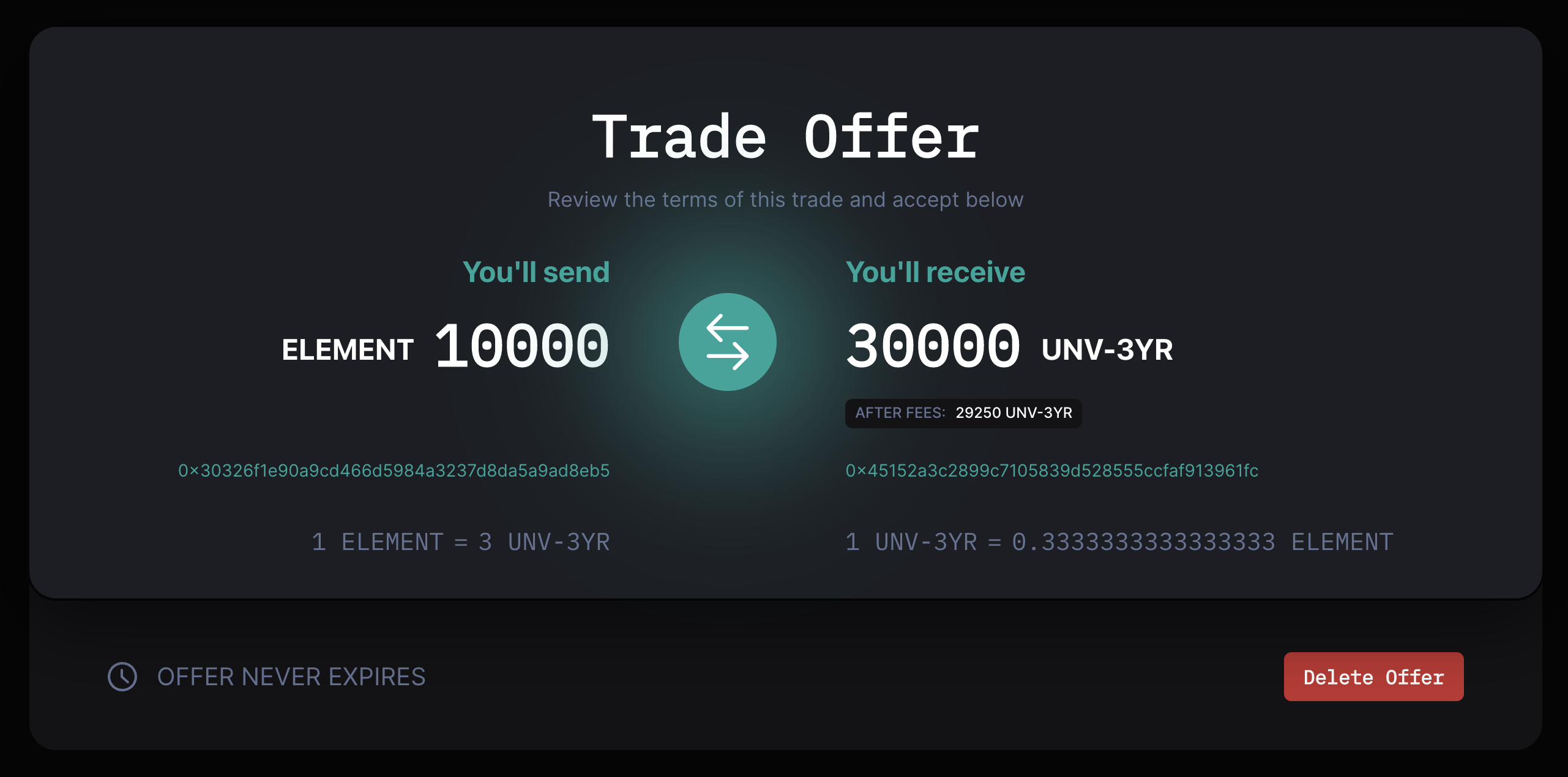
   <figure><img src="https://145339869-files.gitbook.io/~/files/v0/b/gitbook-x-prod.appspot.com/o/spaces%2FS1F3korSPgRlrwAMsGRR%2Fuploads%2FvmZqQ8Ovxab2vsGlMqYz%2FScreenshot%202023-01-07%20at%208.22.51%20PM.png?alt=media&amp;token=83c84363-3076-4740-b903-34b993e55560" alt=""><figcaption></figcaption></figure>

3. Tap the "Delete Offer" button.<br>

   <figure><img src="https://145339869-files.gitbook.io/~/files/v0/b/gitbook-x-prod.appspot.com/o/spaces%2FS1F3korSPgRlrwAMsGRR%2Fuploads%2FsRAvm5EixG3dW38oI2q8%2FScreenshot%202023-01-07%20at%208.24.31%20PM.png?alt=media&amp;token=fe32438e-e7e6-4b79-8346-be73bfc08aba" alt=""><figcaption></figcaption></figure>

4. You'll be asked to submit a transaction. Once it confirms, your order will be cancelled and can no longer be filled by other traders.


# Fill an existing buy or sell order

To fill an existing order on Illiquid Market, follow these instructions:

1. Go to [illiquid.market](https://illiquid.market/) and browse the directory of available orders, or paste the address of the token.<br>

   <figure><img src="https://145339869-files.gitbook.io/~/files/v0/b/gitbook-x-prod.appspot.com/o/spaces%2FS1F3korSPgRlrwAMsGRR%2Fuploads%2FHvydfEYNZwUc8RGYsQxW%2FScreenshot%202023-01-07%20at%208.27.20%20PM.png?alt=media&amp;token=79a245c5-c129-4f96-ac87-8d734707296f" alt=""><figcaption></figcaption></figure>
2. Find an offer you like and tap the corresponding "Buy" or "Sell" button.<br>

   <figure><img src="https://145339869-files.gitbook.io/~/files/v0/b/gitbook-x-prod.appspot.com/o/spaces%2FS1F3korSPgRlrwAMsGRR%2Fuploads%2FYJmrz5AMRb72OeAwU85d%2FScreenshot%202023-01-07%20at%208.29.47%20PM.png?alt=media&amp;token=5f13acd6-b6ad-4c33-8377-37b94e35692a" alt=""><figcaption></figcaption></figure>
3. Ensure that the token addresses are correct. Anyone can create a token, so take care to ensure the token you'll be receiving when selling (e.g. USDC) is genuine. You can tap the address to view it on your network's block explorer.<br>

   <figure><img src="https://145339869-files.gitbook.io/~/files/v0/b/gitbook-x-prod.appspot.com/o/spaces%2FS1F3korSPgRlrwAMsGRR%2Fuploads%2FZP028bR3F5RHtoi0FeZN%2FScreenshot%202023-01-07%20at%208.31.49%20PM.png?alt=media&amp;token=da0e487c-0d2c-4f13-90bd-83b380b9cd95" alt=""><figcaption></figcaption></figure>

   <figure><img src="https://145339869-files.gitbook.io/~/files/v0/b/gitbook-x-prod.appspot.com/o/spaces%2FS1F3korSPgRlrwAMsGRR%2Fuploads%2FJCUxjmhSKVtmQpjDhN4y%2FScreenshot%202023-01-07%20at%208.32.48%20PM.png?alt=media&amp;token=26afd1a5-9ae1-4545-bd49-b32aa8548dd8" alt=""><figcaption></figcaption></figure>
4. Tap the "Accept Trade Offer" button.<br>

   <figure><img src="https://145339869-files.gitbook.io/~/files/v0/b/gitbook-x-prod.appspot.com/o/spaces%2FS1F3korSPgRlrwAMsGRR%2Fuploads%2FSS0MKfaUzvc6XuNq3O3d%2FScreenshot%202023-01-07%20at%208.33.44%20PM.png?alt=media&amp;token=c91415a0-a8db-4c93-bad9-17d92ec1c0d7" alt=""><figcaption></figcaption></figure>
5. Submit an "Allow Token Spend" transaction, which gives Illiquid permission to complete the swap.<br>

   <figure><img src="https://145339869-files.gitbook.io/~/files/v0/b/gitbook-x-prod.appspot.com/o/spaces%2FS1F3korSPgRlrwAMsGRR%2Fuploads%2FRV5ZdHIxYyBXSnqknaXl%2FScreenshot%202023-01-07%20at%208.35.29%20PM.png?alt=media&amp;token=f63db119-1494-4e5f-8ef9-9ebaf2c79a70" alt=""><figcaption><p>Ensure you have enough balance to complete the order, you will be unable to proceed until you do<br></p></figcaption></figure>
6. Once that confirms, submit an "Execute Order" transaction, which performs an atomic swap between your wallet and the counterparty's wallet.
7. Once the transaction confirms, you're done. Security safeguards ensure that if the transaction fails or gets stuck, both parties retain their funds.


# Trade vestingTokens with Illiquid

If you are an investor in a presale round and your project is using Unvest services for token vesting, you'll have vestingTokens in your wallet representing your locked allocation.

These vestingTokens can be traded on Illiquid Market to adjust your position size. You can buy or sell vestingTokens on Illiquid Market to increase or decrease your holdings.

To trade vestingTokens on Illiquid Market, follow these instructions:

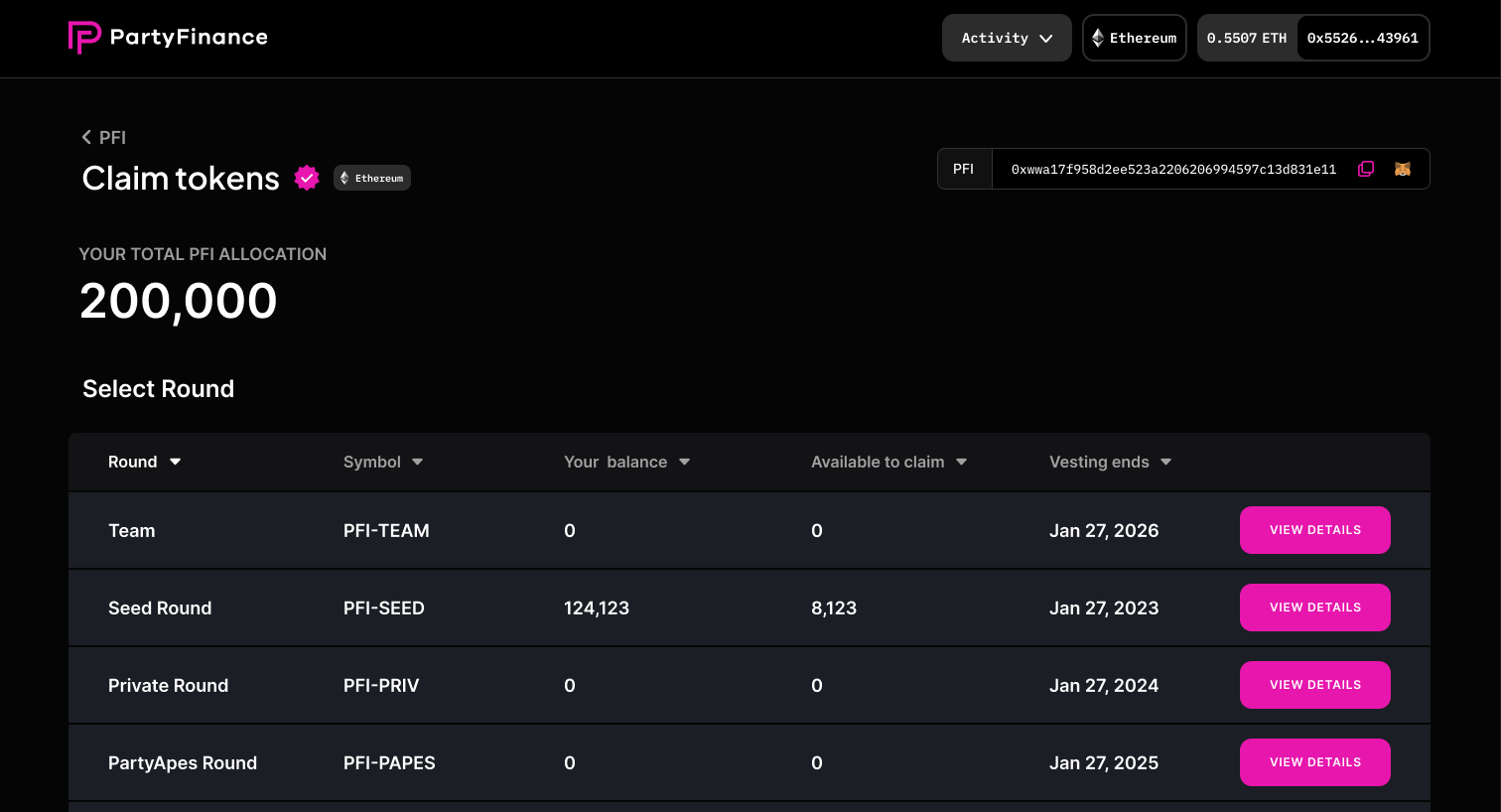
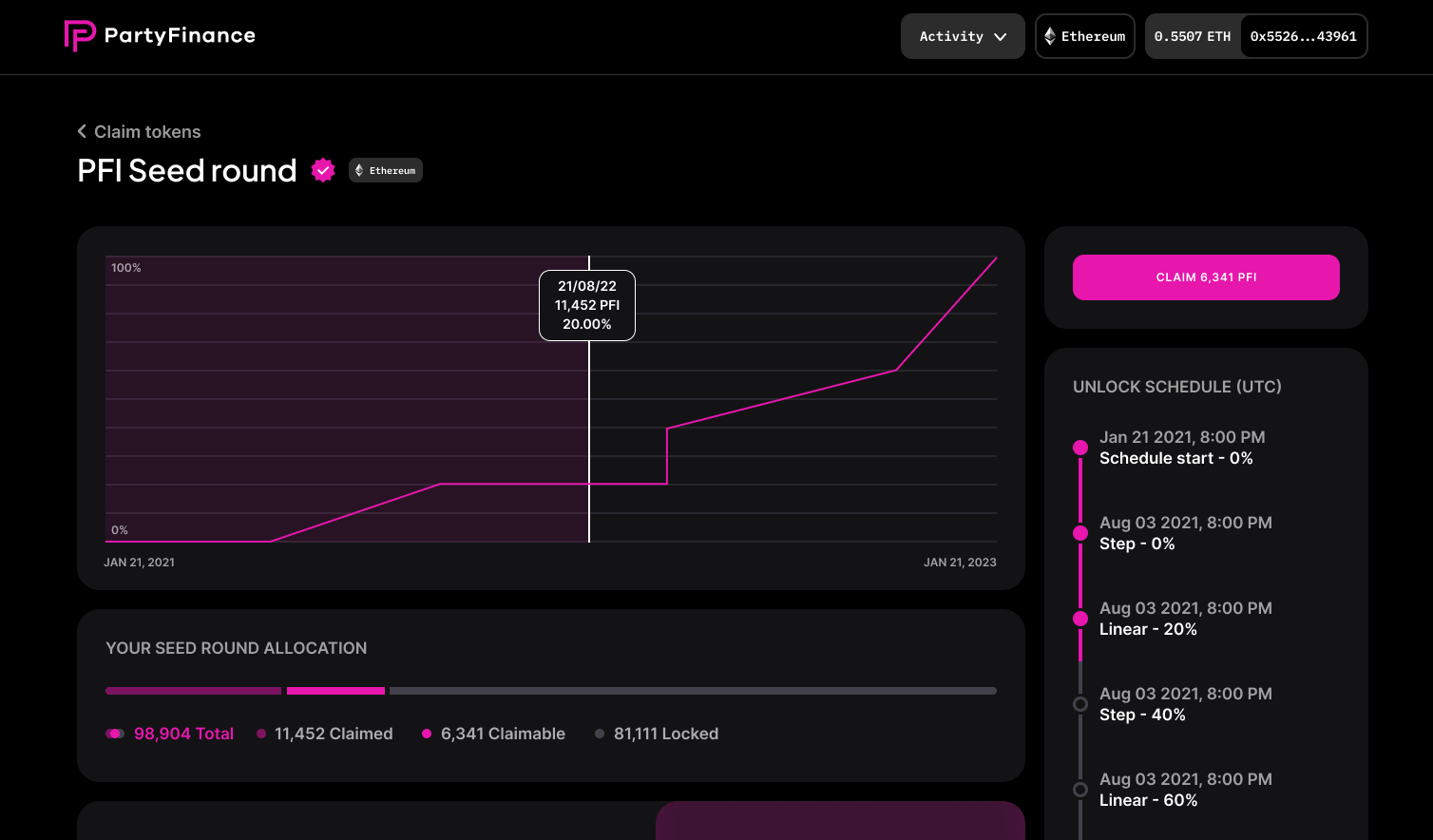
1. Go to the "Claim Tokens" page on your investor dashboard on the Unvest app.<br>

   <figure><img src="https://145339869-files.gitbook.io/~/files/v0/b/gitbook-x-prod.appspot.com/o/spaces%2FS1F3korSPgRlrwAMsGRR%2Fuploads%2Foxp7q8ygHkOLlHZmU24f%2FScreenshot%202023-01-07%20at%208.42.13%20PM.png?alt=media&amp;token=f226cc68-5eaf-4d3d-bcc6-ce5a3c8d202b" alt=""><figcaption></figcaption></figure>
2. Select the applicable round that you're a part of to open the claim page.<br>

   <figure><img src="https://145339869-files.gitbook.io/~/files/v0/b/gitbook-x-prod.appspot.com/o/spaces%2FS1F3korSPgRlrwAMsGRR%2Fuploads%2FEgEUL0qzCnEJe40cr5Ve%2Fimage.png?alt=media&amp;token=e6f62f01-b2b1-4d32-9c1f-3a93fe6261fc" alt=""><figcaption></figcaption></figure>
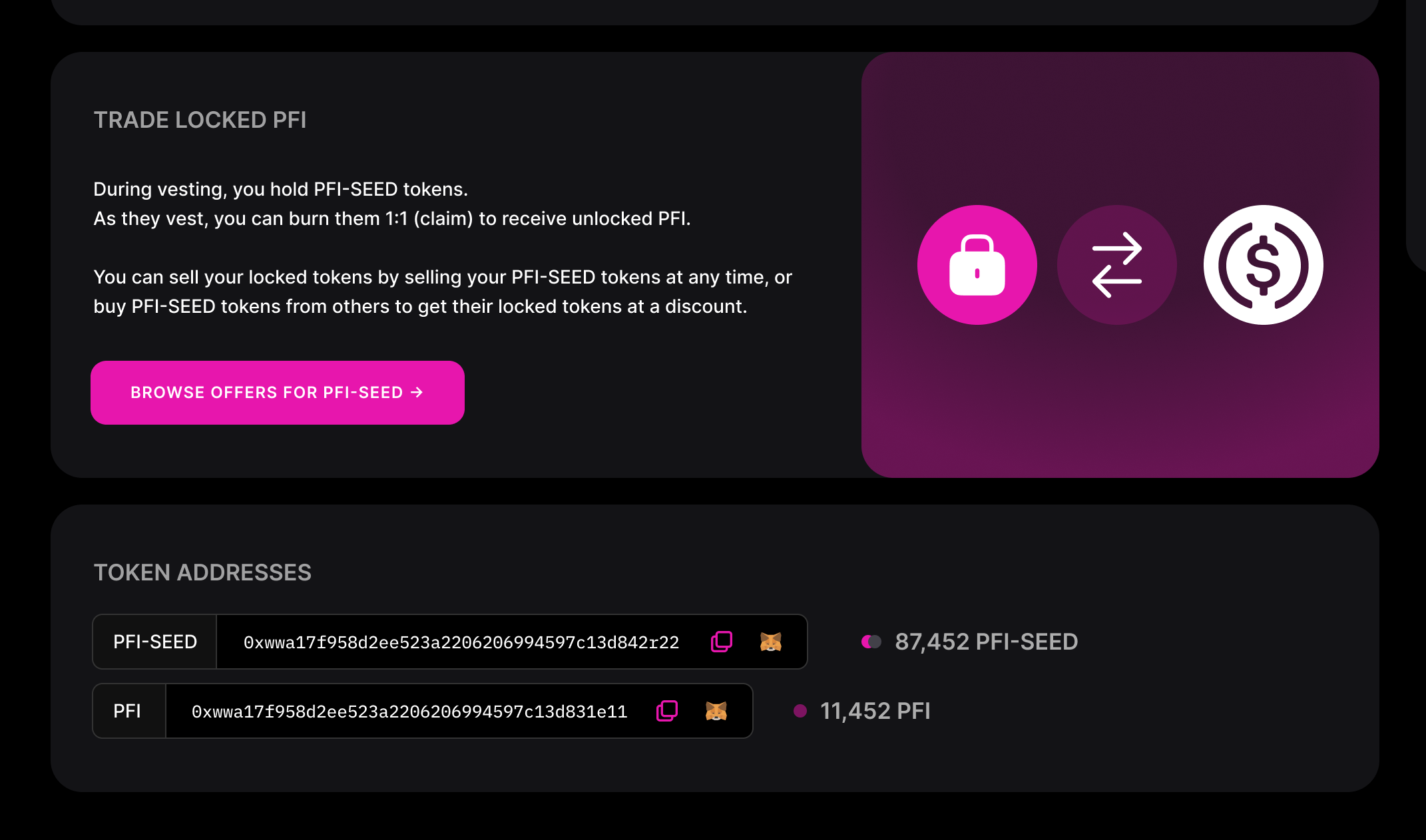
3. Scroll down the page to the "Token Addresses" section. You can either copy the address (and paste it into Illiquid) or tap the "Browse Offers for X" button above.<br>

   <figure><img src="https://145339869-files.gitbook.io/~/files/v0/b/gitbook-x-prod.appspot.com/o/spaces%2FS1F3korSPgRlrwAMsGRR%2Fuploads%2FY7U7dHX3yA9QUAuQh2CR%2FScreenshot%202023-01-07%20at%208.45.03%20PM.png?alt=media&amp;token=3cc610e0-95a5-4bd6-b304-ccfcb64d24ea" alt=""><figcaption></figcaption></figure>
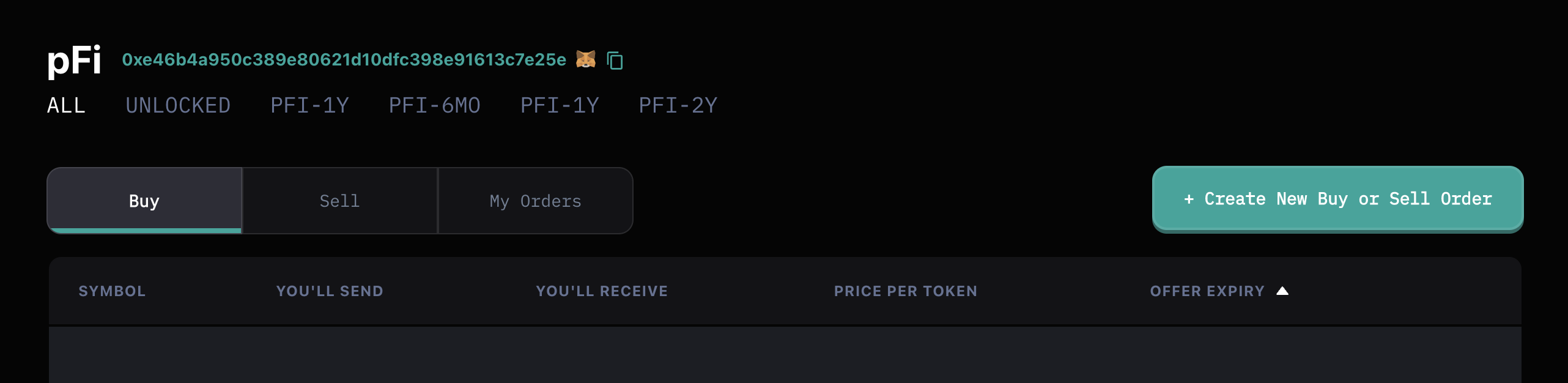
4. This will open a view in Illiquid where you can create orders and view and buy and sell orders that exist.<br>

   <figure><img src="https://145339869-files.gitbook.io/~/files/v0/b/gitbook-x-prod.appspot.com/o/spaces%2FS1F3korSPgRlrwAMsGRR%2Fuploads%2FMa1M6BCDcQsN2bCign0F%2FScreenshot%202023-01-07%20at%208.48.32%20PM.png?alt=media&amp;token=c5c28bbf-6bc3-4dd4-b570-1b6df0fd3787" alt=""><figcaption></figcaption></figure>
5. To create a new order, [follow these instructions →](/tutorials/create-your-first-public-order)
6. To fill an existing order, [follow these instructions →](/tutorials/fill-an-existing-buy-or-sell-order)
7. Remember to share a link to your offer in the token's community Discord or Telegram (if available) to increase visibility.


# Trade LP tokens with Illiquid

LP tokens, both locked and unlocked, can be traded on Illiquid Market just like any other token. To trade LP tokens on Illiquid, follow these instructions:

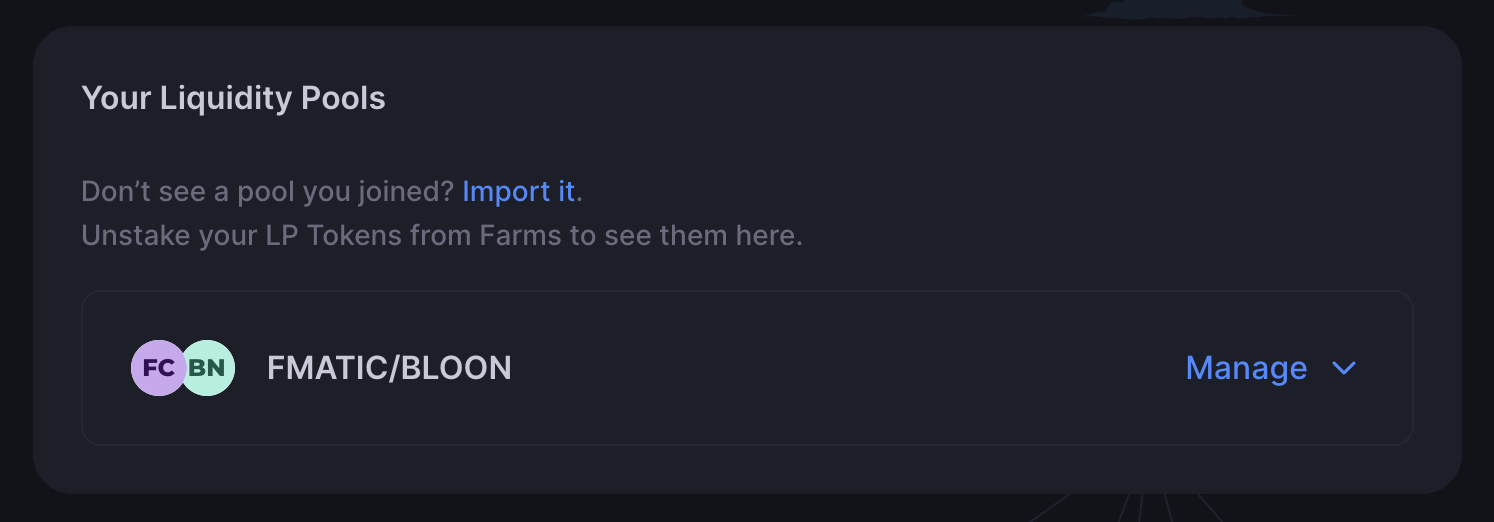
1. Ensure you know the address of the LP token. This can usually be found on the DEX where the lock was completed, or on the LP lock section of the Investor dashboard if it was locked with Unvest.<br>

   <figure><img src="https://145339869-files.gitbook.io/~/files/v0/b/gitbook-x-prod.appspot.com/o/spaces%2FS1F3korSPgRlrwAMsGRR%2Fuploads%2FrviwXai9lRvSujOByOaa%2FScreenshot%202023-01-07%20at%208.54.04%20PM.png?alt=media&amp;token=c0fbee45-1b0c-4d3a-84fa-e83df0abc178" alt=""><figcaption></figcaption></figure>

   <figure><img src="https://145339869-files.gitbook.io/~/files/v0/b/gitbook-x-prod.appspot.com/o/spaces%2FS1F3korSPgRlrwAMsGRR%2Fuploads%2FC4ebAzUbId23bLOd9RwK%2FScreenshot%202023-01-07%20at%208.54.47%20PM.png?alt=media&amp;token=c17fbfd2-0aba-47a5-b104-5df4bdbfeeaf" alt=""><figcaption></figcaption></figure>

   <figure><img src="https://145339869-files.gitbook.io/~/files/v0/b/gitbook-x-prod.appspot.com/o/spaces%2FS1F3korSPgRlrwAMsGRR%2Fuploads%2FlRfRYidaJwLshg1sHyld%2FScreenshot%202023-01-07%20at%208.57.40%20PM.png?alt=media&amp;token=f695f781-3e17-485b-9a0f-77dba151d917" alt=""><figcaption></figcaption></figure>
2. Go to [illiquid.market](https://illiquid.market/).
3. Paste the LP token address into the search bar at the top of the page.<br>

   <figure><img src="https://145339869-files.gitbook.io/~/files/v0/b/gitbook-x-prod.appspot.com/o/spaces%2FS1F3korSPgRlrwAMsGRR%2Fuploads%2FaVI1pvZH0FEinpl0Kh4V%2FScreenshot%202023-01-07%20at%208.51.23%20PM.png?alt=media&amp;token=8d8018b4-e2dd-4228-9f5f-cf1ab2223532" alt=""><figcaption></figcaption></figure>
4. This will open a view in Illiquid where you can create orders and view and trade existing orders.

   <figure><img src="https://145339869-files.gitbook.io/~/files/v0/b/gitbook-x-prod.appspot.com/o/spaces%2FS1F3korSPgRlrwAMsGRR%2Fuploads%2FemCyv7vdU8VuLuWdUboa%2FScreenshot%202023-01-07%20at%208.50.07%20PM.png?alt=media&amp;token=55dae1ef-9c15-4013-bde9-1a148a040461" alt=""><figcaption></figcaption></figure>
5. To fill an existing order, [follow these instructions →](/tutorials/fill-an-existing-buy-or-sell-order)
6. To create a new order, [follow these instructions →](/tutorials/create-your-first-public-order)